
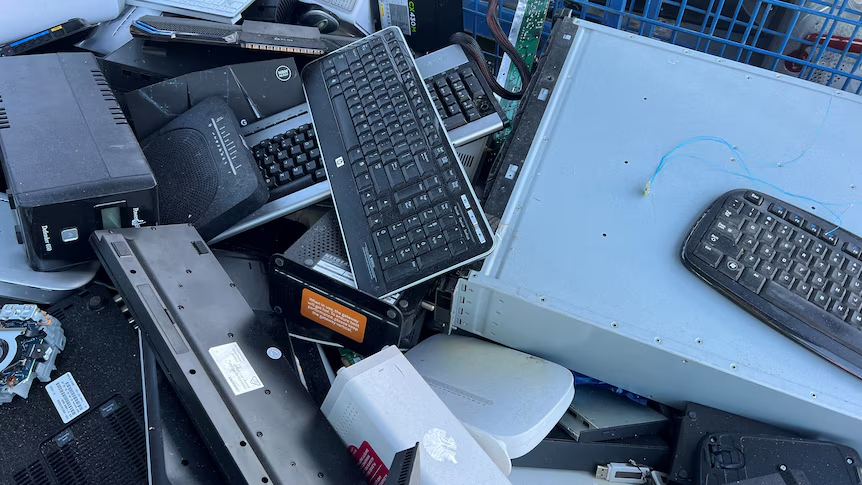
Understanding Local Computer Recycling
In an era where technology is evolving at lightning speed, the amount of electronic waste generated is at an all-time high. The urgent need for responsible and effective disposal methods has led to the rise of local computer recycling programs. These initiatives are not just about disposing of old devices; they ensure that valuable materials are reused and that hazardous substances don’t harm the environment. This comprehensive guide aims to deepen your understanding of local computer recycling, its benefits, and how you can actively participate.
What is Local Computer Recycling?
Local computer recycling refers to the process of collecting, processing, and repurposing electronic devices within a community. Unlike general waste disposal, recycling specifically targets electronic equipment such as computers, laptops, printers, and other associated peripherals. The goal is to recover usable materials and reduce the impact of e-waste on the environment. This process often involves breaking down devices to their core components—circuit boards, plastics, metals, and glass—recycling or safely disposing of them based on environmental regulations.
Benefits of Recycling Computers
Recycling computers provides a myriad of benefits, both for the environment and the community. Some of the primary advantages include:
- Resource Conservation: Recycling allows for the recovery of precious metals and materials found in electronics, reducing the need for new raw materials.
- Environmental Protection: Proper disposal helps prevent harmful substances such as lead and mercury from entering the soil and waterways.
- Reducing Landfill Waste: Electronics make up a significant portion of landfill waste. Recycling helps divert these materials, extending the life of landfills.
- Supporting the Local Economy: Local recycling centers create jobs and stimulate community involvement in sustainable practices.
- Promoting Sustainable Practices: Engaging in recycling initiatives raises awareness and encourages further sustainable practices within the community.
Common Misconceptions about Recycling
Despite the clear benefits, several misconceptions about local computer recycling persist:
- It’s Expensive: Many local recycling programs offer free or low-cost options for residents, making it accessible for everyone.
- All E-Waste is the Same: Different types of electronics have varying recovery processes, and it’s crucial to dispose of them accordingly.
- Data is Always Safe: While many facilities prioritize data security, it’s essential for individuals to take additional measures to ensure their data is fully destroyed.
- Recycling Doesn’t Make a Difference: In reality, recycling significantly impacts the reduction of e-waste and promotes recycling culture in the community.
How to Locate Local Computer Recycling Facilities
Online Resources for Finding Centers
Numerous online platforms exist to help individuals find nearby recycling centers. Websites like recycling directories, Gov platforms, and environmental organizations often provide searchable databases listing local computer recycling facilities. Utilize keywords such as “local computer recycling” along with your city or ZIP code for optimal results.
Using Local Government Services
Many local governments offer e-waste recycling programs to encourage responsible disposal. Check the municipal website for information on scheduled collection days, drop-off locations, and special community events focused on e-waste. By engaging with local services, you can actively participate in your community’s sustainable initiatives.
Community Initiatives for E-Waste Collection
Community organizations, schools, and non-profits often partner with local recycling facilities to host e-waste collection events. These initiatives create an opportunity for households to dispose of unwanted electronics safely. Keep an eye on local bulletin boards, social media, and neighborhood newsletters for announcements of upcoming collection initiatives.
Steps for Preparing Computers for Recycling
Data Security Measures
Before recycling your computer, safeguarding your data is paramount. Here are essential steps to take:
- Backup Important Files: Always back up any important data you want to keep onto an external drive or cloud storage.
- Use Data Wiping Software: Programs like Eraser or DBAN can securely wipe your hard drive, making data recovery impossible.
- Physically Destroy Hard Drives: For those who wish to be extra cautious, physically dismantling or shredding the hard drive can ensure data is irreversibly destroyed.
Physical Preparation of Devices
Once your data is secure, the physical preparation of your devices is the next step. Remove any accessories that aren’t part of the recycling process, such as cables and peripherals, as they may be handled differently. Clean the device to remove personal items and dust – this not only helps in processing but also promotes a positive recycling experience.
Understanding Accepted Materials
Different recycling facilities accept various materials. Generally, common items include:
- Desktops and laptops
- Monitors and screens
- Printers and scanners
- Keyboards and mice
- Networking equipment
Always check with localized recycling centers regarding specific acceptance lists to avoid any complications during drop-off.
What Happens to Recycled Computers?
Processing E-Waste: The Recycling Journey
The recycling process for computers involves several distinct steps. Upon arrival at a recycling facility, e-waste is typically sorted and assessed. Non-recyclable and biodegradable materials are removed, ensuring only materials suitable for recycling proceed to fragmentation. Components are then separated into materials such as metals, plastics, and glass before they move to specialized facilities for further processing.
Re-use and Refurbishment Opportunities
Many components recovered during the recycling process—such as hard drives, RAM, and circuit boards—may have substantial resale value. Local organizations might refurbish usable parts or entire systems, providing affordable technology solutions to individuals and organizations in need.
Environmental Impact of Effective Recycling
The environmental benefits of effective computer recycling are significant. By diverting waste from landfills and conserving natural resources, recycling mitigates pollution and reduces greenhouse gas emissions. Additionally, it fosters a culture of sustainability, reminding communities that responsible waste management is a crucial part of preserving the environment.
Frequently Asked Questions about Local Computer Recycling
What items can be recycled with local computer recycling?
Most computer equipment like desktops, laptops, monitors, and peripherals can be recycled. Check local guidelines for specifics.
Is there a fee for local computer recycling services?
Some facilities may charge a fee, especially for large-scale e-waste. Always verify with the center in advance.
How to ensure my data is secure before recycling?
Use data-wiping software or physically destroy hard drives to safeguard personal information before recycling your devices.
Can I drop off my old computer directly?
Yes, most local computer recycling centers accept drop-offs during their operating hours. Always review their protocols.
Are there any local computer recycling events?
Many communities hold recycling events. Check local websites or government resources for scheduled e-waste collection days.

